

A moment in a blur
A laugh, a moving subject or a quick snap. Try bringing more clarity to a moment you don’t want to lose.
AI photo enhancer
Some moments are worth keeping, even when the photo isn’t perfect. Try AI enhancement on an old, blurry or low-quality picture, compare the result and save a clearer version.

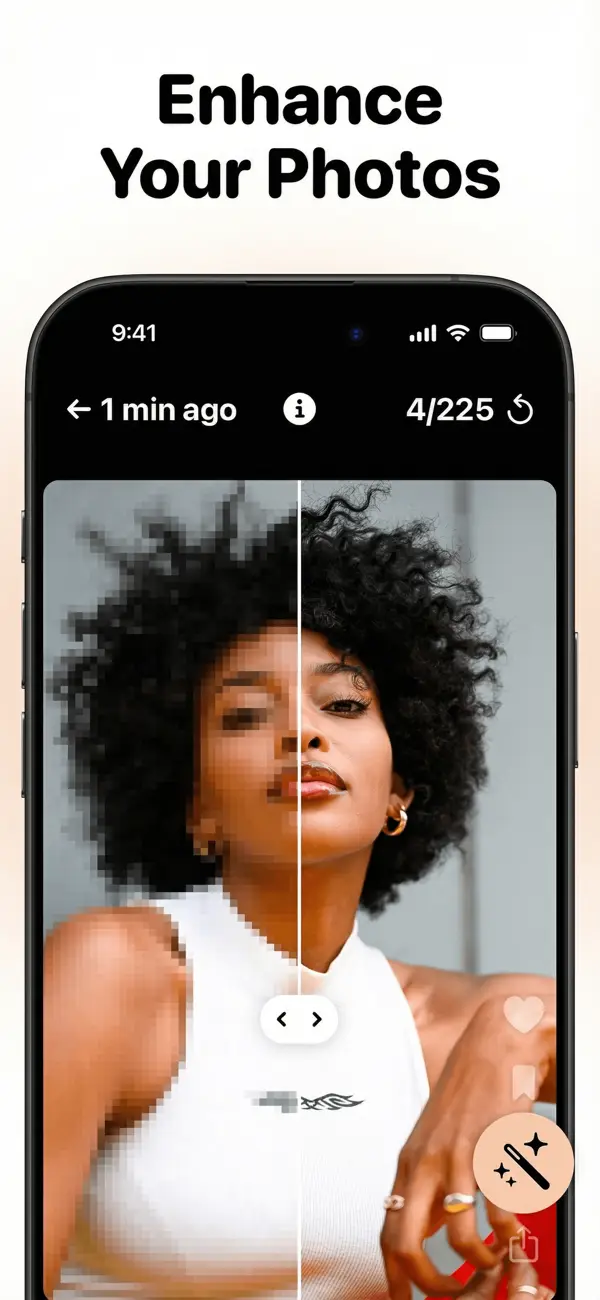
A photo can be imperfect and still mean a lot. Give these keepers a try in the enhancer.
A laugh, a moving subject or a quick snap. Try bringing more clarity to a moment you don’t want to lose.
Your favorite trip may predate your current camera. Revisit low-resolution photos with AI enhancement.
Some images lose detail through compression. Try the enhancer before you let go of a favorite.
From almost deleted to worth keeping
See the difference before you decide. The enhanced version is saved as a new photo, so you choose what happens to the original.
Back to a lighter camera rollOpen a photo’s quick actions while swiping and tap “Enhance with AI”. You can also open Enhance from the Tools tab.
Drag the slider in the app to compare the original with the enhanced version. Take a closer look at the details.
Save the enhanced version as a new photo in your library. Then choose whether to keep or delete the original.
Questions & answers
The AI photo enhancer is available in Swipewipe on iPhone and iPad. It is not currently available on Android.
Yes. AI photo enhancement is included with the Swipewipe subscription. Visit Help for subscription questions.
No. The enhanced version is saved as a new photo. You can then choose to keep or delete the original.
The enhancer works on still photos, not videos.
Results depend on the original photo. Use the before-and-after slider in the app to compare the result and decide whether you want to save it.
Find a photo you love and give it another look with Swipewipe.