
On This Day
A little throwback.
Every day.
That trip. That birthday. That ordinary day you’d almost forgotten. Rediscover photos from this date in past years, keep your favorites and clear a little clutter along the way.



Rediscover. Decide. Repeat.
A different way into your camera roll. Start with a date instead of a long list of photos.
Find a memory
Open On This Day at the top of Swipewipe. It appears when your library has photos or videos from this date in previous years.
Keep what matters
Swipe right to keep, left to mark for deletion. Review your choices and confirm before anything is removed.
Come back tomorrow
A new date brings a different look at your library. Revisit the moments you captured on that day, whenever they’re available.
A small daily habit
More memories.
One growing streak.
A few swipes today. A few more tomorrow. Your streak tracks the days in a row you sort photos, giving you another reason to come back.
Every swipe counts, whether you’re revisiting On This Day, sorting last month or catching up on Recents.
Explore all features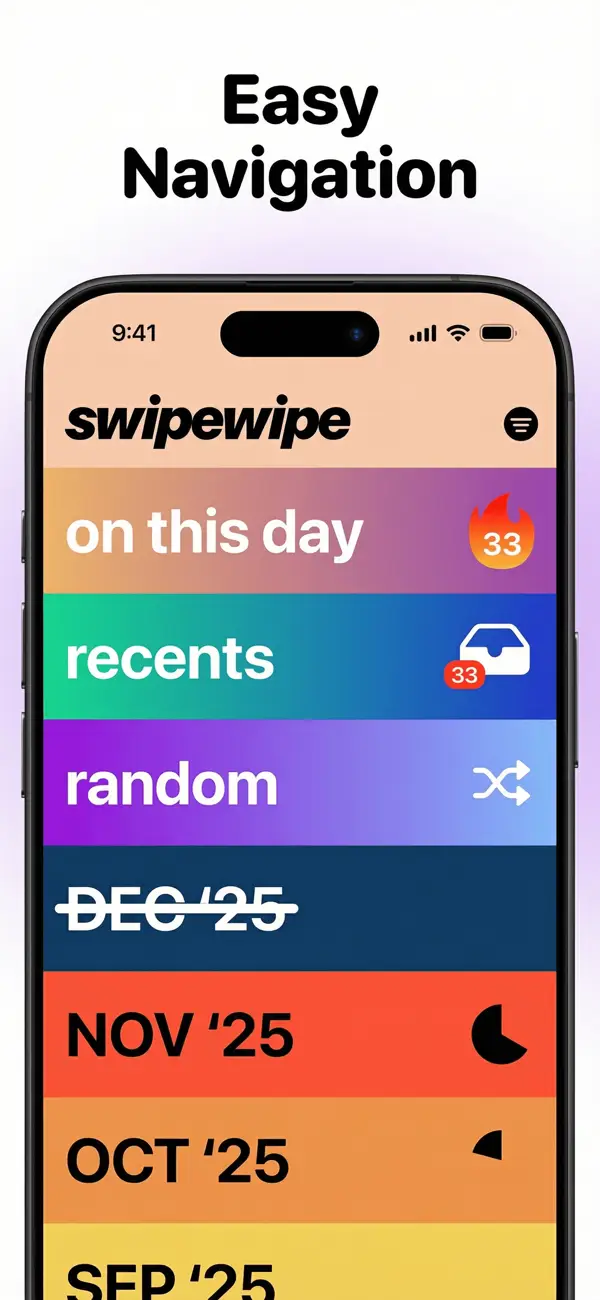
Questions & answers
A few things worth knowing
What is On This Day in Swipewipe?
A list that updates every day with the photos and videos you took on the same date in previous years. You swipe through it like any month: right to keep, left to delete.
When are the photos I swipe left deleted?
When you confirm on the review screen at the end of the list, like in every list of Swipewipe.
Is there an On This Day widget?
Yes, on iPhone and iPad: the “on this day” widget shows how many photos are waiting for you today and your streak.
Why can’t I see On This Day?
On This Day appears when your library contains photos or videos taken on today’s date in previous years. If there are none, you can sort Recents or a month instead.
Do I need to use On This Day to keep my streak?
No. A swipe in any list counts towards your streak for that day. You can use On This Day, Recents, a month or another list.
Can I revisit a day I missed?
On iPhone and iPad, Time Travel lets subscribers go back to days they missed in On This Day.
See what today brings back.
Your next favorite memory might already be in your camera roll.